
News
About Design Simulation Technologies
Students Can Now Describe a Mechanism in Plain English and Watch the Simulation Build Itself
Working Model 2D Version 10 adds AI assistant integration, letting students and faculty create physics simulations through natural language — no manual setup required
(Canton, MI) – February 25, 2026 – Design Simulation Technologies (DST; www.design-simulation.com) today released Working Model 2D Version 10, adding an AI assistant that allows students and educators to build kinematic and dynamic simulations by describing them in plain English. The update — the most significant in the software's thirty-year history — is designed to remove the barrier between a student's understanding of a concept and a working simulation, making it possible to go from idea to animated, measurable result in seconds rather than an entire lab session.
Working Model 2D is used in engineering programs at more than 300 colleges and universities on six continents, including Stanford, Georgia Tech, Purdue, ETH Zurich, the University of Toronto, KAIST, and UNAM. It is one of the most widely adopted simulation tools for teaching kinematics, dynamics, and mechanism design.
The Classroom Challenge
Engineering faculty have long faced a tradeoff in simulation-based courses: powerful tools require significant training time before students can use them productively. In a typical lab session, students may spend more time learning the software interface than exploring the physics the session was designed to teach. By the time they have bodies placed, joints configured, and a motor attached, the period is over.
Version 10's AI assistant eliminates this tradeoff.
Natural Language Simulation
Using a technology called the Model Context Protocol (MCP), Working Model 2D now connects directly to an AI assistant. Students type what they want to build in conversational English — for example, “Build a slider-crank mechanism with a 5 cm crank and a 15 cm connecting rod, add a motor at 2 rad/s, and graph the slider velocity” — and the AI creates the complete simulation automatically: bodies, joints, motor, meters, and all.
The student can then refine the model just as easily: “Change the crank to 7 centimeters and run it again.” The AI updates everything and reruns the simulation. This rapid describe-build-analyze cycle lets students focus on understanding the physics rather than operating the software.
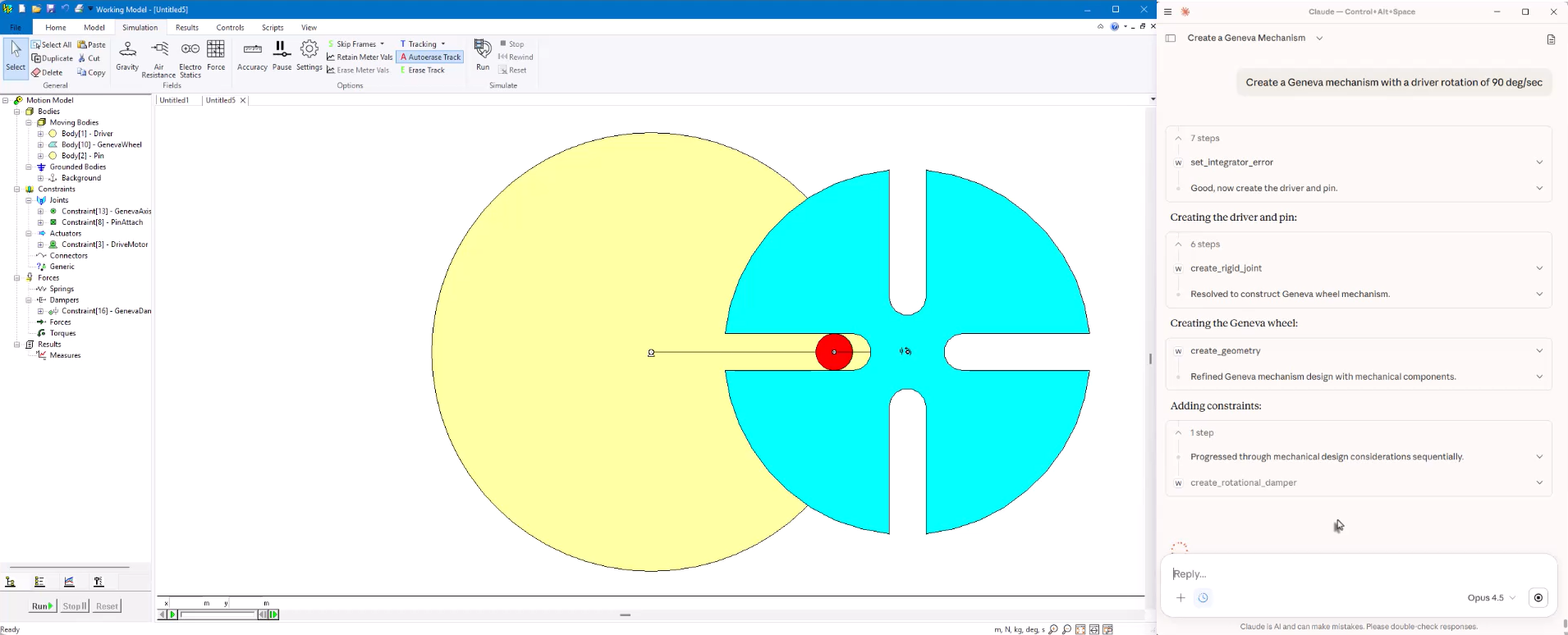
Sketch to Simulation
The AI assistant can also interpret hand-drawn mechanism sketches. A student draws a four-bar linkage during a lecture, takes a photo with their phone, uploads it to the AI, and says “build this.” The AI identifies the links, joints, and approximate dimensions, then produces a working simulation that the student can immediately run, measure, and modify.
This sketch-to-simulation workflow creates a feedback loop that was not previously possible in the classroom. Students move from a conceptual drawing to a physics-based simulation in seconds, building the kind of hands-on intuition for mechanism behavior that textbook diagrams and equations alone cannot provide.
“The AI doesn't replace the educator's teaching or the student's thinking,” said Alan Wegienka, president of Design Simulation Technologies. “What it does is eliminate the tedious setup work so that from the very first minute of a lab session, students are running simulations and learning from the results. That changes the economics of a class period entirely.”
For Faculty: Faster Demonstration, Deeper Exploration
Faculty benefit as well. Classroom demonstrations that previously required carefully pre-built model files can now be created live, on the fly, in response to a student's question. An instructor can type “Create a double pendulum released from 90 degrees and track the endpoint” and have a chaotic-motion demonstration running in front of the class within seconds. The AI handles the full range of Working Model capabilities: bodies of any shape, pin joints, springs, dampers, motors, gears, slots, parametric input sliders, and output graphs.
Improved User Interface
Beyond the AI assistant, Version 10 introduces a completely redesigned interface organized across seven task-specific tabs, replacing the legacy menu-and-toolbar layout. A new browser panel provides a hierarchical view of the model, making it easy for students to understand the structure of a mechanism — which bodies are connected by which joints, where forces are applied, and what is being measured. These interface improvements reduce the learning curve for new users while giving experienced users faster access to advanced features.
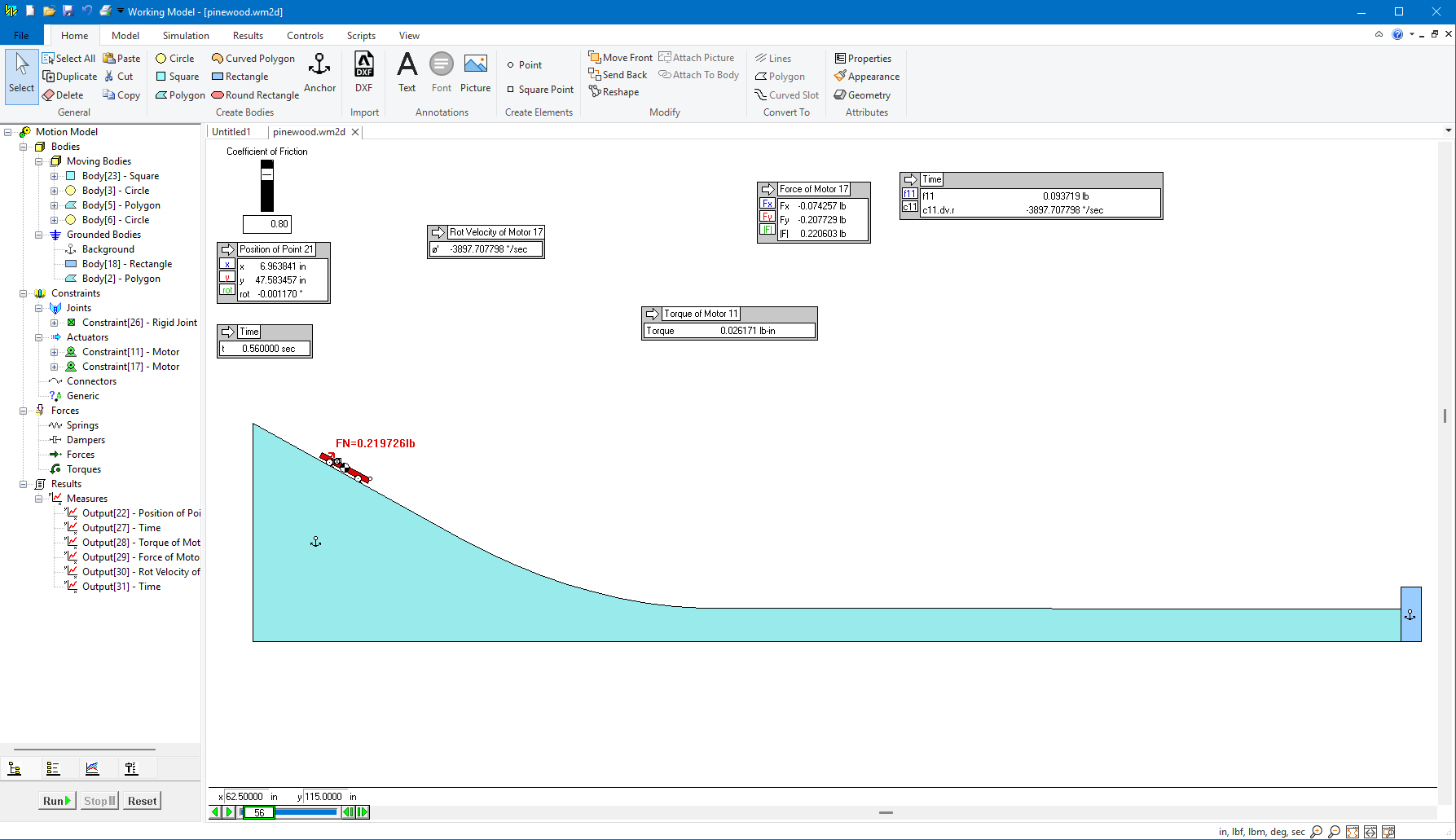
Python Scripting for Coursework and Research
Version 10 also introduces a new programming API with dedicated Python bindings, allowing students and researchers to write scripts that create models, run parametric studies, and extract data programmatically. Built-in script editors with syntax highlighting and error highlighting are included directly inside the application. For programs that already teach Python, Working Model now serves as a natural bridge between programming skills and mechanical engineering concepts.
MATLAB, Excel, and Simulink Integration
For advanced courses and graduate research, Version 10 adds real-time data exchange with Excel, MATLAB, Python, and user-written DLLs during a running simulation. Working Model can also function as a plant model for Simulink, enabling co-simulation between control logic and the mechanical system — a capability directly relevant to courses in control systems, mechatronics, and robotics.
Proven Across Worldwide Institutions
Working Model 2D has been a standard tool in engineering education for three decades. It is used in courses ranging from introductory kinematics to graduate-level dynamics and biomechanics research. At schools including MIT, Stanford, Georgia Tech, Purdue, ETH Zurich, the University of Toronto, KAIST, and UNAM, students build and test mechanisms from their first year — developing physical intuition that equations and static diagrams cannot provide.
Version 10's AI assistant extends this value by meeting students where they are: if they can describe a mechanism in words, they can simulate it.
Availability and Academic Licensing
Working Model 2D Version 10 is available immediately. Free evaluation copies can be downloaded at www.design-simulation.com. Academic site licenses, lab packs, and individual student licenses are available. Institutions with active maintenance agreements are eligible for a free upgrade.
About DST
DST develops physics-based simulation software. The company's products are used by engineering professionals to build and test virtual models of their mechanical designs, and by STEM educators and students in the classroom to teach and learn about physics and engineering kinematics, dynamics, and machine design.
With DST's SimWise 4D, Working Model 2D, and Dynamic Designer products, users evaluate design performance by conducting complete, accurate simulations. Engineers, professors and students can quickly perform "what-if" analyses, find and correct design problems, plus refine and validate designs without the need for physical prototypes.
Students in high school and college use Interactive Physics, DST's award-winning educational software, to explore and understand the physical world through simulation.
DST develops, markets, and supports these software tools for commercial and academic users worldwide. Selected DST products are available from leading CAD suppliers and CAE resellers. Learn more by visiting the DST website at www.design-simulation.com.


