
Working Model 2D Web
Engineering motion simulation in your browser. Nothing to install.

Working Model 2D, now in your browser
Build, run and measure mechanisms on Chromebook™ laptops, Windows computers, Macs and iPads, with the same engine as desktop Working Model 2D. Nothing to install.
For engineers designing machines and products, and for the students and instructors who teach and learn mechanics: linkages, cams, gears, springs and dampers, motors and actuators, with meters and live graphs of every result.
For engineers and for education
Professional engineers
Check that a concept works before it is built: verify motion and clearances, size motors and actuators, find the forces on pins and bearings, and tune springs and dampers. Import the mechanism from a DXF drawing, measure everything as it runs, and export the data and a video for the design review. Work from any computer, at the office, at home or at a customer’s site, with your models in your own Google Drive™ or OneDrive.
Students and instructors
Bring statics, kinematics, dynamics and machine design to life in class and for homework, on the devices students already have. Annual licenses for one person or packs of seats for a course, with join codes for students. Education licenses show “Educational Use Only” over the model.
What you can do
Build mechanisms
Draw bodies and connect them with pins, slots, rods, ropes, pulleys, gears, springs and dampers, then drive them with motors, actuators, forces and torques.
Measure and graph
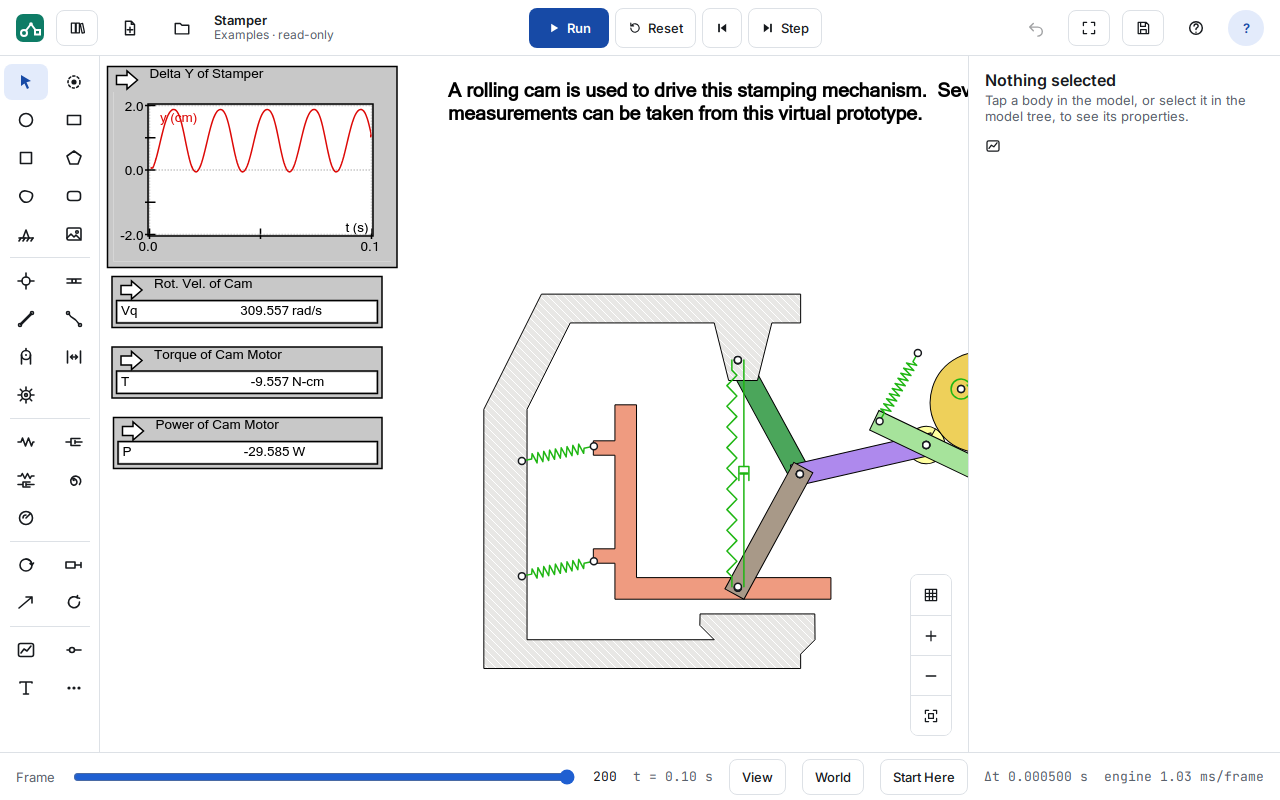
Meters show position, velocity, acceleration, forces and torques as live graphs and digital readouts. Export the data as CSV, and the run as a video.
Start from a drawing
Import a DXF drawing and turn its outlines into bodies, lines and curved slots. Export a model as DXF.
Explore the design
Formulas in any property, plus sliders and buttons, let you vary a design and run it again to see what changes.
Keep files in your cloud
Open and save models on the device, in Google Drive or in OneDrive, and open them straight from Drive with “Open with > Working Model 2D”. DST never stores your models.
Python scripting
Script models in Python with the desktop’s WMPython object model, or link an input to your own Python function, for example to drive a motor’s torque. NumPy, SciPy and SymPy are included.
Web or desktop?
Working Model 2D also comes as a desktop application for Windows. The two versions are identical, with the same physics engine and model files, except for the few things the web version doesn’t have yet: links to MATLAB, Excel and user DLLs, Simulink co-simulation, WM Basic and VBScript scripts, and Python packages other than NumPy, SciPy and SymPy.
| Working Model 2D Web | Working Model 2D (desktop) | |
|---|---|---|
| Runs on | Any platform with a current browser: Chromebook, Windows, Mac and iPad. Nothing to install. | Windows |
| Licensing | Annual | Perpetual, annual, or tokens drawn down only on the days you use it |
| License types | One person, on one device at a time; packs of seats for schools | Node-locked, network (floating) or USB dongle |
| Links to other programs | Python (with NumPy, SciPy and SymPy) | Python, MATLAB, Excel and user DLLs; Simulink co-simulation |
For professional users: the web version runs anywhere, on any platform, and is licensed annually. If you’d rather own a perpetual license, or pay by usage with tokens, choose the desktop version. See licensing options and the FAQ.
Getting started
1. Get a license
Request a free evaluation, or buy an annual license: commercial, or education for one person or a course.
2. Sign in
Open wm2d.design-simulation.com and sign in with a Google or Microsoft account (personal, work or school).
3. Start building
Open an example, press Run, and change it. Tutorials in the library walk you through building your first models.
A library to start from
More than 60 example models in eight topics — machines, mechanisms, statics, flexible beams, accident reconstruction, controls, dynamic systems and animation — plus tutorials, each ready to run and change. Working Model 2D files (.wm2d) open in the browser and on the desktop, both ways.
Try Working Model 2D Web on your own designs
Free evaluations are available for professional engineers, instructors and departments.
Google Drive and Chromebook are trademarks of Google LLC. Microsoft and OneDrive are trademarks of the Microsoft group of companies.
- Overview
- Features
- Requirements
- Licensing & Pricing
- FAQ
- Request an Evaluation
- Help
- Working Model 2D (desktop)
 Quote
 Evaluation


