
Dynamic Designer Motion
Motion Simulation embedded in Solid Edge
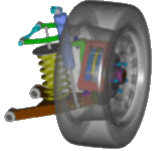
Simply Motion for Solid Edge
If you have Solid Edge, you have Simply Motion!
Simply Motion is part of every copy of Solid Edge.
Try it now under the Environment->Motion menu.
See assembly motion and check for interferences.
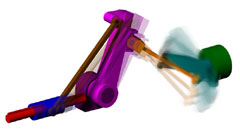
Simply Motion is a subset of both Motion and Motion Professional. It adds motion to your Solid Edge assembly, generates animations, and checks for interference as your parts move. The designs can contain components like linkages, motors, actuators, and springs. Simply Motion should be used by designers who only need to visually verify the motion of their moving assembly, who need to check for interference as the parts move, and who are not concerned with the forces (e.g. friction, dampers, etc.) that act on their design. Using Simply Motion is typically as simple as adding an actuator (e.g. motor) to the existing assembly model. If you need to model more complicated mechanical components (cams, gears, latches, chains, belts, etc.) and/or use the underlying engineering data (displacements, velocities, accelerations, forces) to make design decisions, you should consider either Motion or Motion Professional.
How to use Dynamic Designer Simply Motion
Mechanism Animation
Animations are fundamental to understand the functional performance
of a mechanism. Consequently, all Dynamic Designer products support
this feature. You will animate mechanisms based on the assembly
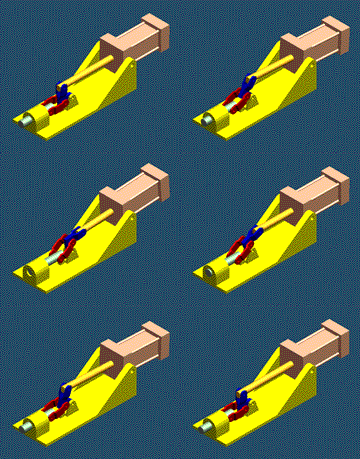 constraints, any additional constraints, and the actuators you put
in the model. A VCR-type interface provides complete and
intuitive animation control. Animations are ideally suited to visualize
the physical motion of your mechanism. In addition to seeing the
motion you can save it to an AVI (movie) or a VRML (3D animated
web format) file. If you are interested in making engineering decisions
based on the motion, you will need the engineering data (forces,
displacements, velocities, accelerations) available in Motion
or Motion Professional.
constraints, any additional constraints, and the actuators you put
in the model. A VCR-type interface provides complete and
intuitive animation control. Animations are ideally suited to visualize
the physical motion of your mechanism. In addition to seeing the
motion you can save it to an AVI (movie) or a VRML (3D animated
web format) file. If you are interested in making engineering decisions
based on the motion, you will need the engineering data (forces,
displacements, velocities, accelerations) available in Motion
or Motion Professional.
Moving Interference Detection
Have you ever build a mechanism containing interfering parts? With Dynamic Designer products you can eliminate interferences before you build the physical hardware. With Dynamic Designer you will check for interferences between parts as the mechanism moves through the real operating range, find the first point of interference, or calculate the minimum distance between parts. An intuitive interference browser lists all steps containing part interferences and selecting an interference highlights it in the model.
Motion Builder
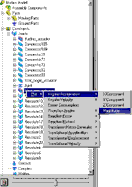 Motion Builder technology helps automate the motion simulation
process making it available to even the most causal user. The Intellimotion
builder is a wizard that helps you quickly build motion models.
It logically takes you through each step, asking key questions and
gathering information as it generates the motion model. The resulting
model is ready to put into motion and see the results.
Motion Builder technology helps automate the motion simulation
process making it available to even the most causal user. The Intellimotion
builder is a wizard that helps you quickly build motion models.
It logically takes you through each step, asking key questions and
gathering information as it generates the motion model. The resulting
model is ready to put into motion and see the results.
Motion Browser
Motion Browser technology helps automate the motion simulation process making it available to even the most causal user. There are two ways to interact with Dynamic Designer Products: through a pull down menu and through the Intellimotion browser. The browser is a seamless extension of CAD tree tools. All Dynamic Designer functionality is available through the tree browser including motion model construction, simulation, and result viewing.
- Home
- Purchase
- DDM for Inventor
- DDM for Solid Edge
- Motion/Professional
- Motion
- Simply Motion
- Academic Version
- FAQs
- Choose the right product
- Compare Products
- Success Stories
- Examples
- Licensing
- Product Demo Videos
- Support Videos
 Quote
Quote Evaluation


