
Interactive Physics
Physics Simulation Software for the Classroom
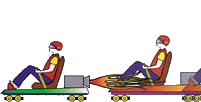

Interactive Physics for Windows
The award-winning physics simulation software for the classroom. Observe, discover and explore the physical world, from the most basic topics to complex ones in STEM education.
Draw a model, press Run, and measure what happens. If you can use a mouse, you can use Interactive Physics. See how NASA uses it in its teacher development program.
Interactive Physics reviewed by The ScienceMan.
What students and teachers can do
Build models
Draw circles, blocks and polygons, and add ropes, springs, dampers, pulleys, slots, actuators and motors.
Measure and graph
Velocity, acceleration, force, momentum and energy, in metric or English units, as numbers, graphs and animated vectors.
Experiment
Vary gravity, air resistance, friction or any material property, and see its effect on nearly any measurable quantity.
Collisions and sound
Simulate contact, collisions and friction. Hear and measure sound volume, frequency and Doppler effects.
Teach with the library
The Curriculum models with their workbook, and the Physics Experiments, ready to run and change.
Scripts and links
Desktop extras: scripts, the External Application Link, and presentations with graphics attached to objects.
Desktop or web?
Interactive Physics also runs in a web browser, on Chromebook™ laptops, Windows, Macs, iPads and Android, with nothing to install. The physics engine is the same, and .ip files open in both, both ways.
| Interactive Physics (desktop) | Interactive Physics Web | |
|---|---|---|
| Install | Installed on Windows | Nothing to install; runs in the browser |
| Files | Local files | Device, Google Drive™, OneDrive; Google Classroom™ sharing |
| Languages | 12 | 8 |
| Desktop-only features | Scripts, External Application Link, Save As IP 2.5, Vary the Sound/Feel, the Window menu, View Size and printing page setup | Not included |
Discovery oriented
Interactive Physics is a powerful tool for discovery learning. It develops inquiry skills and physics knowledge by letting students vary nearly any physical parameter, such as gravity, force, speed or spring constants, and measure its effect on nearly any measurable quantity, such as position, energy or decibel level.
Download the Interactive Physics brochure (PDF).
Try Interactive Physics with your class
Free evaluations are available for teachers and schools.
Google Drive, Google Classroom and Chromebook are trademarks of Google LLC. Microsoft and OneDrive are trademarks of the Microsoft group of companies.
- Home
- Capabilities
- Purchase
- Questions before Purchase
- Find a Reseller
- Curriculum
- Experiments
- Reviews
- Product Videos
- Support Videos
 Quote
 Evaluation


