
Interactive Physics
Physics Simulation Software for the Classroom
Electric circuits
Build an electric circuit on the same workspace as your mechanism, and watch both run together.
Draw batteries, wires, resistors, bulbs, switches and more as standard circuit symbols. When you press Run, Interactive Physics solves the circuit at every frame along with the motion: moving dots show the current, bulbs glow, meters read current and voltage, and an electric motor can drive your mechanism.
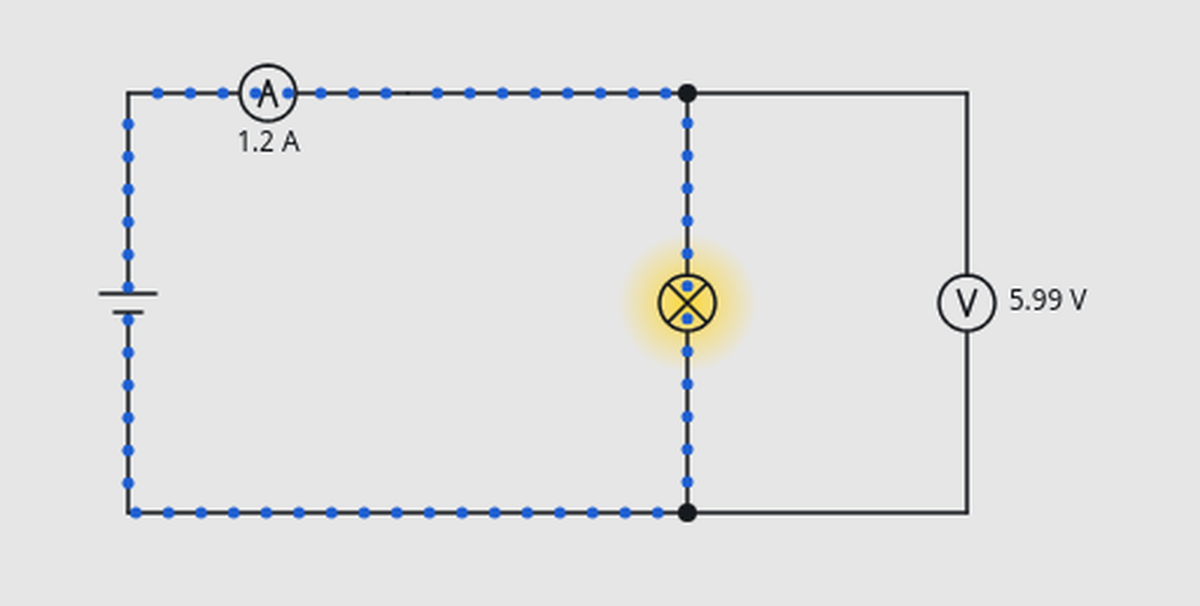
A battery, an ammeter and a glowing bulb during a run, with a voltmeter across the bulb. The moving dots show the current.
Eleven circuit parts
Each part is drawn as its standard symbol, and each shows only the values it has in Properties.
Wire
Joins parts.
Battery
A voltage source with a small internal resistance. It can run down.
Resistor
A resistance.
Bulb
Glows with the power it uses.
Switch
Open or closed, even during a run.
Capacitor
Stores charge.
Inductor
Resists changes in current.
Ammeter
Shows the current through it.
Voltmeter
Shows the voltage across it.
Electric motor
A DC motor that can drive the mechanism.
Coil
Turns of wire that make the body it is on an electromagnet, and pick up currents from moving magnets.
Draw it, and it connects
- Drag each part from one end to the other. Ends that touch are joined; there is no separate connect step.
- Choosing a circuit tool turns on the grid and Snap to grid, so parts line up.
- Drop a part’s end on the middle of a wire to join it there. A junction dot marks the join, and the current divides.
- Drag an end and the ends joined to it move too, so the circuit stays connected.
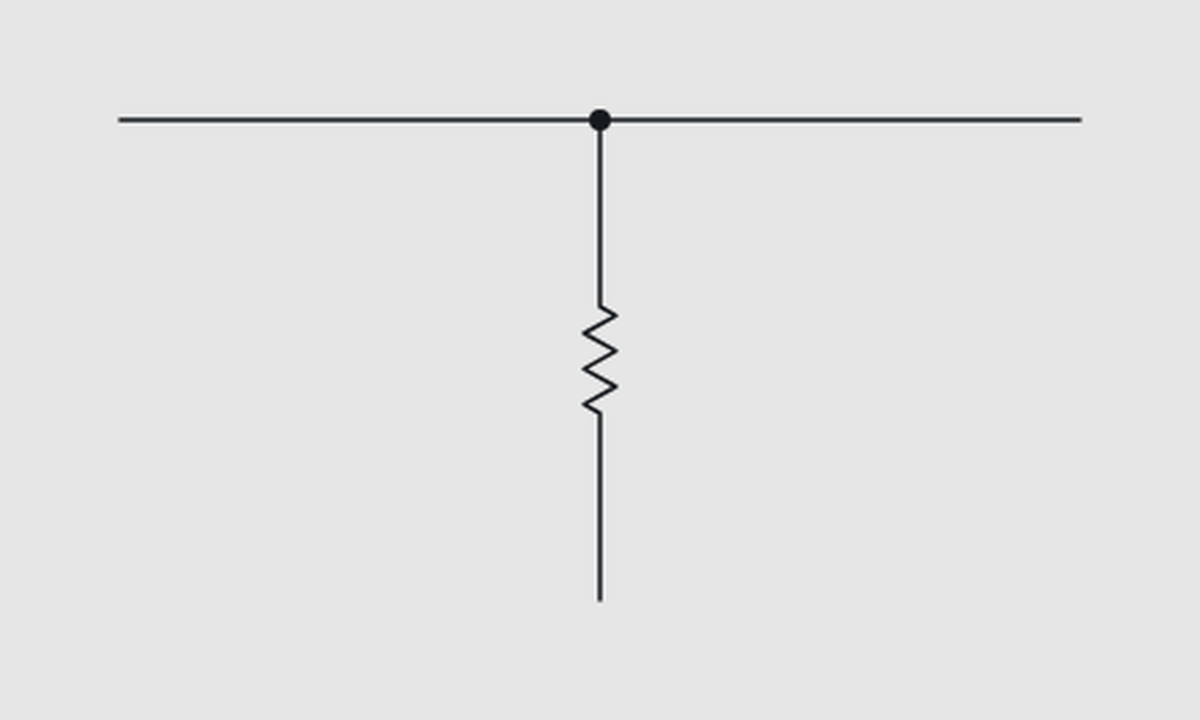
A resistor joined to the middle of a wire: the junction dot marks the join.
Watch it run
Current you can see
Dots move along every part, faster for more current and backwards when it reverses.
Bulbs that glow
Brighter as they use more power, in the color you choose.
Throw a switch
Click a switch during a run and it opens or closes at once, so students can watch a bulb go dark or a capacitor discharge.
Circuits and mechanisms together
Join an electric motor part to a motor in your mechanism and the circuit drives it. The current makes the motor’s torque, and the motor’s speed makes a back voltage in the circuit, so the motor slows the current as it speeds up: electricity and mechanics in one model.
It works the other way too. Turned by the mechanism, the motor part is a generator: a spinning wheel lights a bulb, and the current’s torque slows the wheel down.
In a magnetic field, a current-carrying part on a body is pushed by the field, and a wire moving through it makes a voltage: rail motors, sliding rod generators and spinning discs. A coil is an electromagnet, a magnet moving through it drives a current, and two coils on one core make a transformer. See magnetism »
Circuit parts can also ride on a body. Attach them to it and they move and turn with it during the run: a battery and a bulb on a falling board fall with it, still lit. For a circuit that moves as one, put all its parts on the same body.
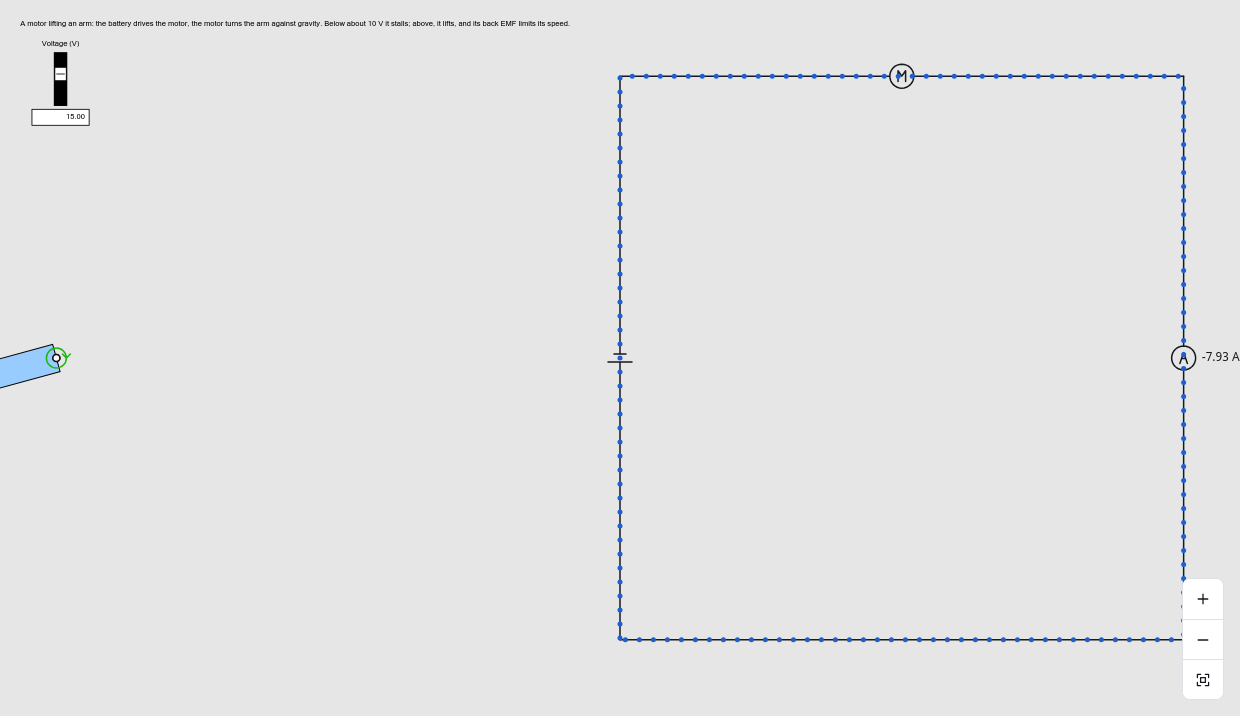
The Motor Lifting an Arm model: the circuit drives the motor that lifts the arm.
Measure, graph and vary
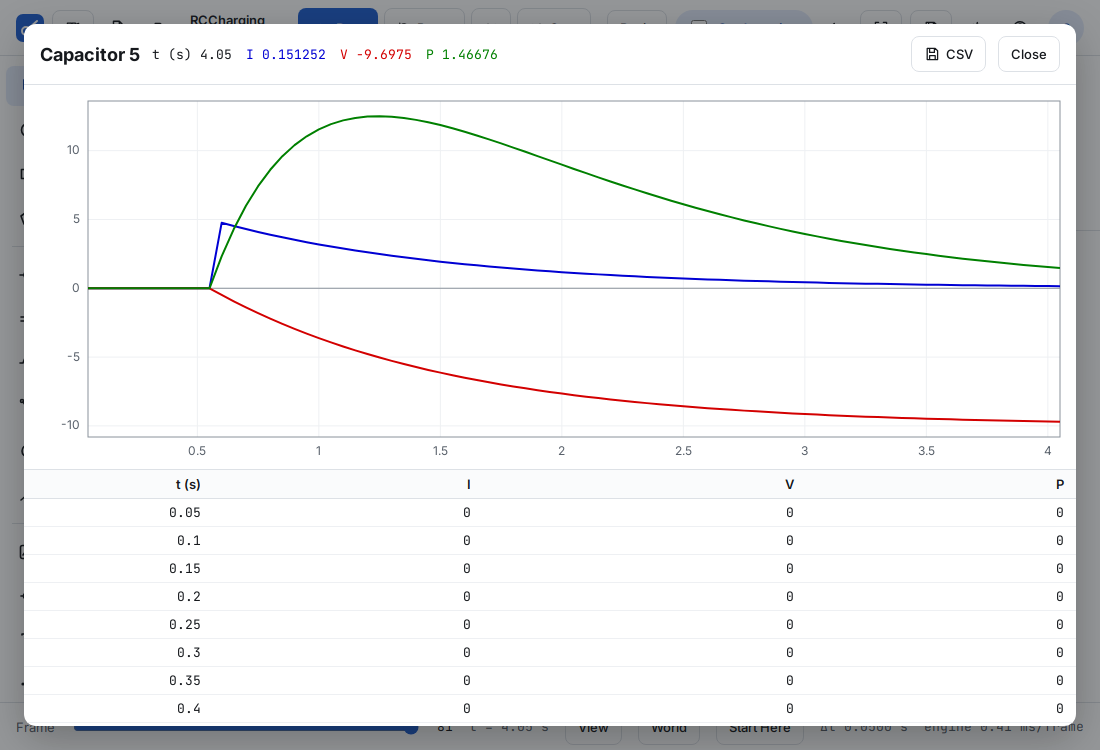
The current, voltage and power of a charging capacitor, graphed during a run.
Current, voltage and power
Measure any circuit part to get one meter with its current, voltage and power over time, shown as numbers, a graph or a table like any other meter.
Formulas and sliders
A battery’s voltage, a resistance, a capacitance, an inductance or a switch can follow a formula: a voltage set by a slider, an alternating voltage for an AC circuit, capacitor plates pulled apart, or a switch that closes at a given time.
Batteries that run down
Give a battery a capacity and it runs down as it is used: its voltage falls, bulbs dim and motors slow. A small gauge beside the battery shows what is left, and driving current backwards through it charges it again.
Ready-made teaching models
A new Circuits topic in the Physics Experiments has 19 ready-made experiments to start from.
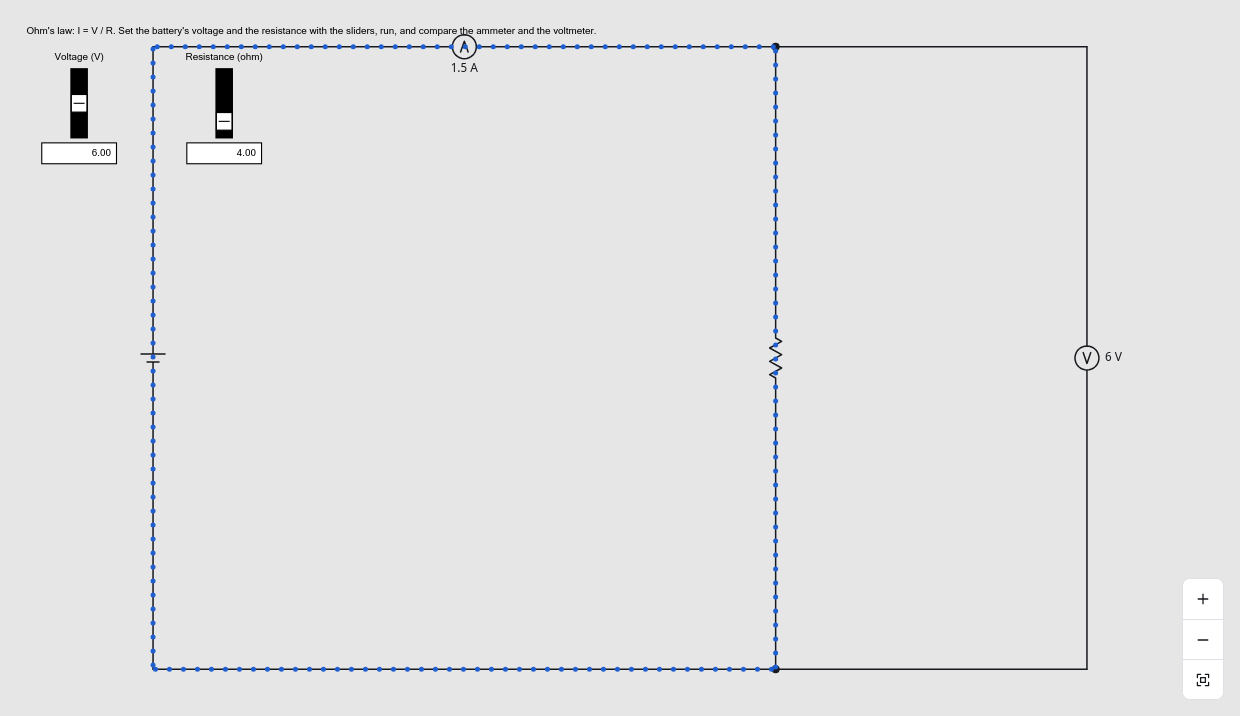
Ohm’s Law with Circuit Parts.
Ohm's Law with Circuit Parts
Set the battery's voltage and the resistance with sliders; compare the ammeter and voltmeter with I = V / R
Series and Parallel Bulbs
A bulb in series with two in parallel: compare their brightness, then tap the switch
Resistance in a Wire
R = rho L / A: change the wire's resistivity, length and thickness with sliders
A Battery's Internal Resistance
The terminal voltage V = E - I r falls as the load draws more current
Charging a Capacitor
A switch closes on an RC circuit; the current falls as e^(-t/RC)
Capacitor Lab
C = e A / d: move the plates with sliders; disconnected, the charge stays and the voltage changes
LC Oscillations
A charged capacitor discharges through an inductor: the current swings back and forth
AC Circuit
An AC source drives a bulb through a capacitor: the bulb brightens as the frequency rises
Motor Lifting an Arm
A battery drives a motor that lifts an arm; below about 10 V it stalls
Generator
A spinning flywheel turns a generator that lights a bulb, and slows as it does
Faraday's Law (approximate)
A magnet falling past a coil induces a pulse of current; the coil's EMF is an approximate formula of the magnet's motion
Flashlight Running Down
A battery with a small capacity: its voltage falls and the bulb dims as its charge is used
Sliding Rod Generator
A rod sliding on rails through a magnetic field lights a bulb, and the field brakes it: v falls as exp(-t / tau)
Rail Motor
A current through a rod on rails is pushed by the field; it speeds up until its back EMF cancels the battery: v = E / (B L)
Faraday's Disc
A spinning disc's spoke crosses the field and makes an EMF B w r^2 / 2 that lights a bulb
Current Balance
A current-carrying rod on a spring is pushed down by the field with F = I L B: its drop measures the current
Pickup Coil
A magnet sliding through a coil makes a current one way as it arrives and the other as it leaves; faster, brighter
AC Generator
A coil spinning in a magnetic field makes an alternating EMF N A B w sin(w t) that lights a bulb
Transformer
Two coils on one iron core: the secondary's voltage is the primary's times the turns ratio
See the Circuits experiments »
Where to find it
In Interactive Physics for Windows, the circuit tools are in the Circuit group of the Model tab.
Try Interactive Physics with your class
Free evaluations are available for teachers and schools.
- Home
- Capabilities
- Mechanics
- Circuits
- Magnetism
- Heat Flow
- Experiments
- Curriculum
- Purchase
- Questions before Purchase
- Find a Reseller
- Reviews
- Product Videos
- Support Videos
 Quote
 Evaluation


