
Interactive Physics
Physics Simulation Software for the Classroom
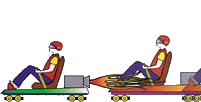
Heat flow
Give bodies a temperature, and watch heat flow between them, out to the surroundings, from heaters and from friction.
Bodies are colored by their temperature, from blue for cold to red for hot, and meters graph each body’s temperature and the heat it gains. Interactive Physics solves the heat flow along with the motion at every step, so heat from friction or from a circuit keeps exactly in step with the mechanics.
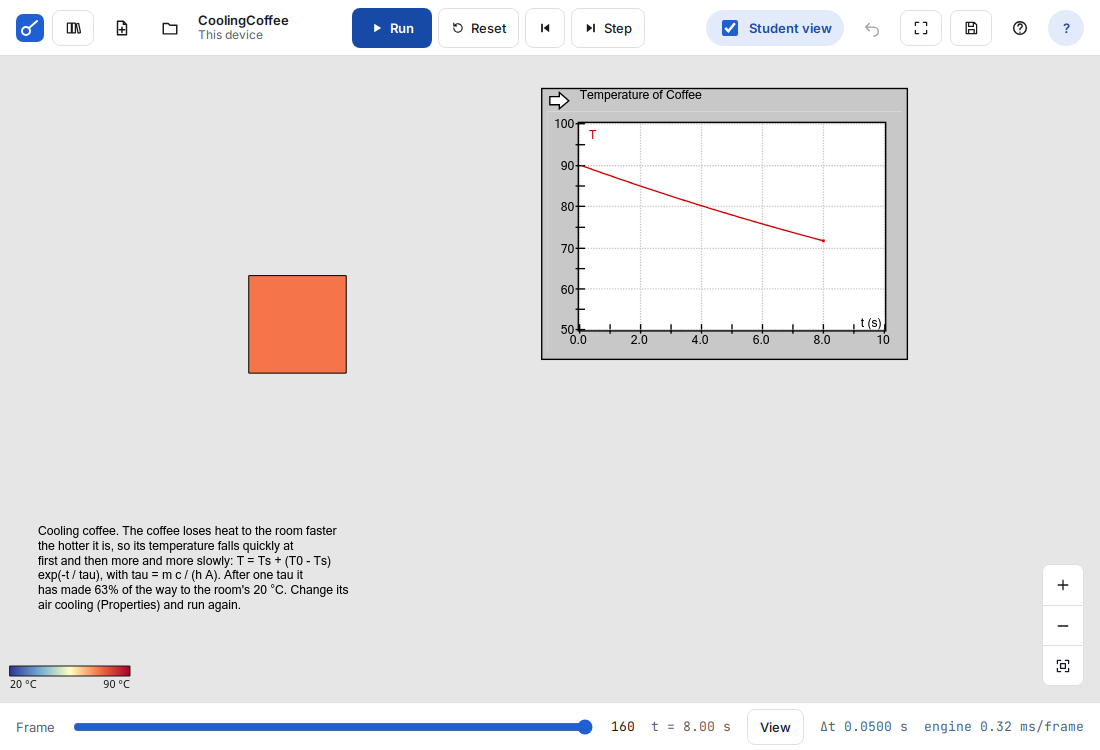
Cooling coffee: its temperature falls toward the room’s.
Bodies with a temperature
Specific heat
Give a body a specific heat and a start temperature, and it has a temperature. Water, iron and copper each warm at their own rate.
Cooling to the room
A body loses heat to its surroundings at a rate you set for each degree it is hotter, or not at all if it is insulated.
The surroundings
Set the room’s temperature, show temperatures in °C, °F or K, and turn the temperature colors on or off.
Thermal links and heaters
- Thermal Link: draw it from one body to another and heat flows through it, from hot to cold. With one end free, it conducts to the surroundings.
- Heater: draw it on a body to heat that body with a power you set. The power can be a formula, and a negative power cools.
- Thermostat: a heater can switch itself off at a set point and back on below it.
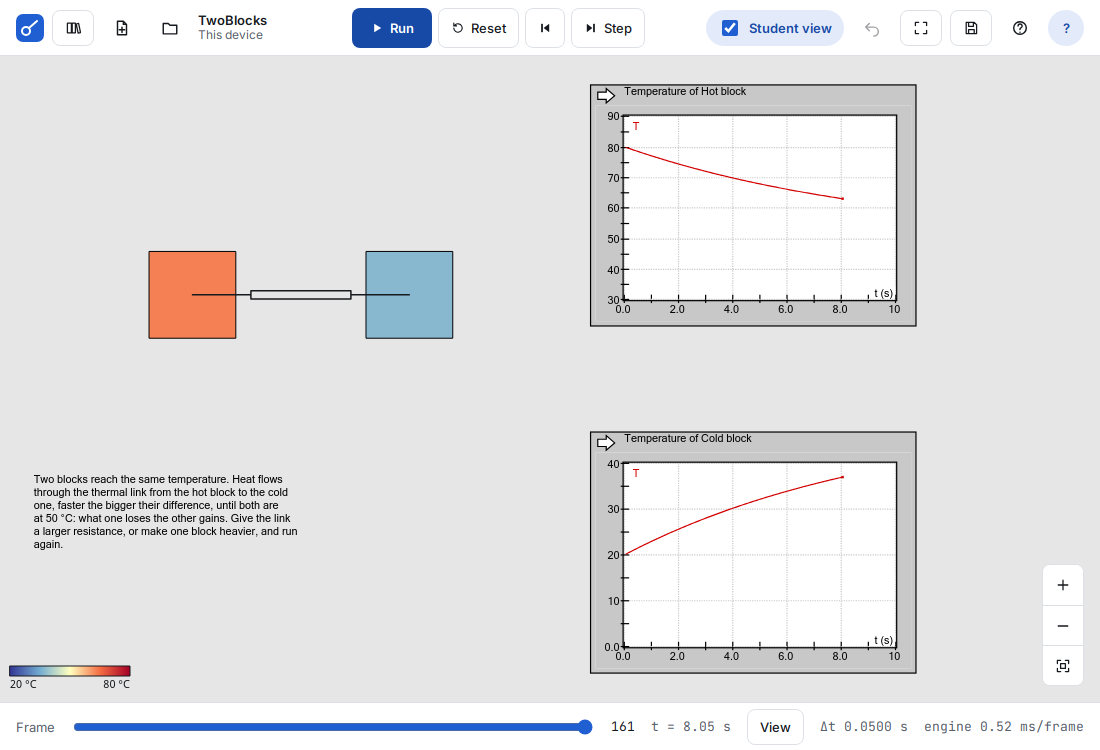
Two blocks joined by a thermal link reach the same temperature.
Heat with mechanics and circuits
Friction heating: a body sliding on another warms up by exactly the kinetic energy it loses, so students can see energy conserved as it turns into heat.
Circuits: a resistor or a bulb drawn on a body heats it with its electrical power from the circuit.
Formulas: a heater’s power can follow any formula of the model, such as a body’s speed or a slider’s value.
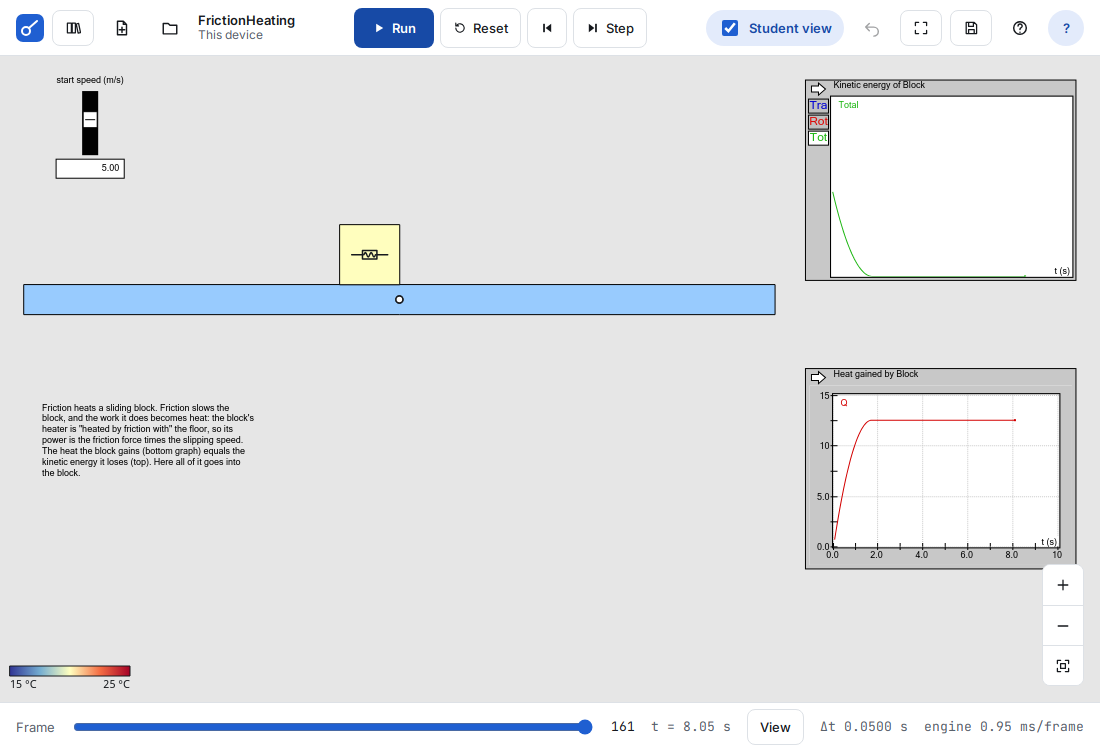
Friction heating: the heat gained equals the kinetic energy lost.
See it and measure it
Bodies are colored by temperature, with a color scale from the coldest to the hottest. Temperature and Thermal Energy meters show a body’s temperature and the heat it has gained since the start, as graphs, digital readouts or bars like any other meter. A heater’s power can read them, which is how a thermostat works.
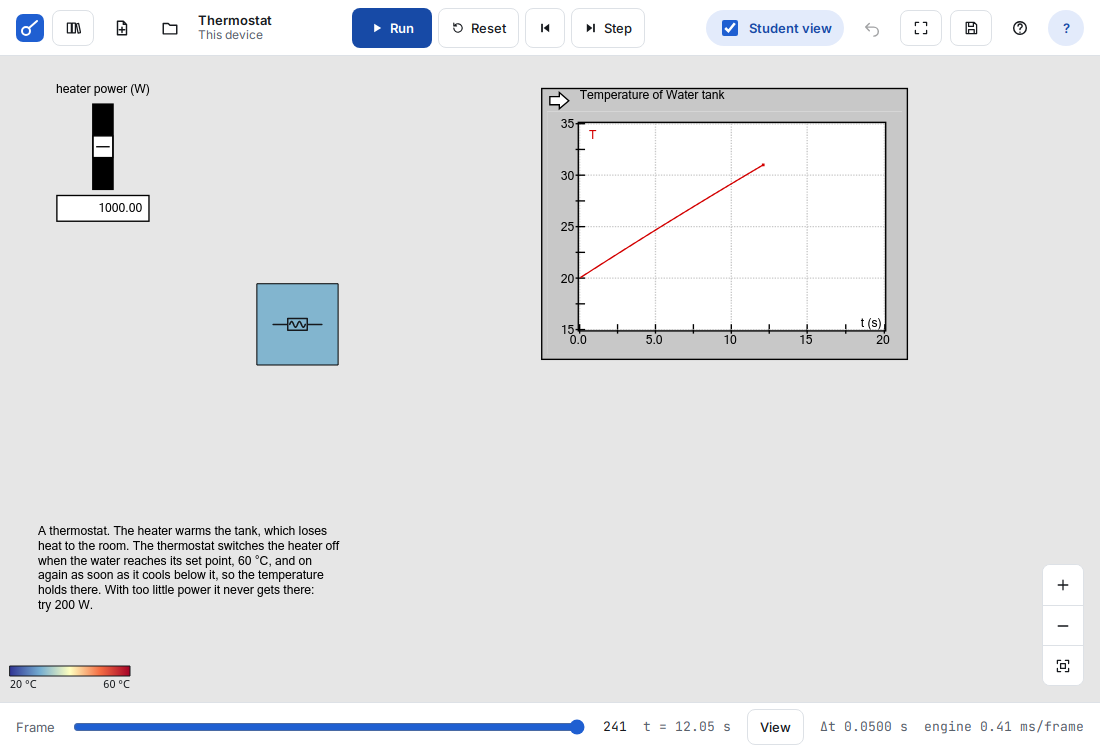
A thermostat warms a tank to its set point.
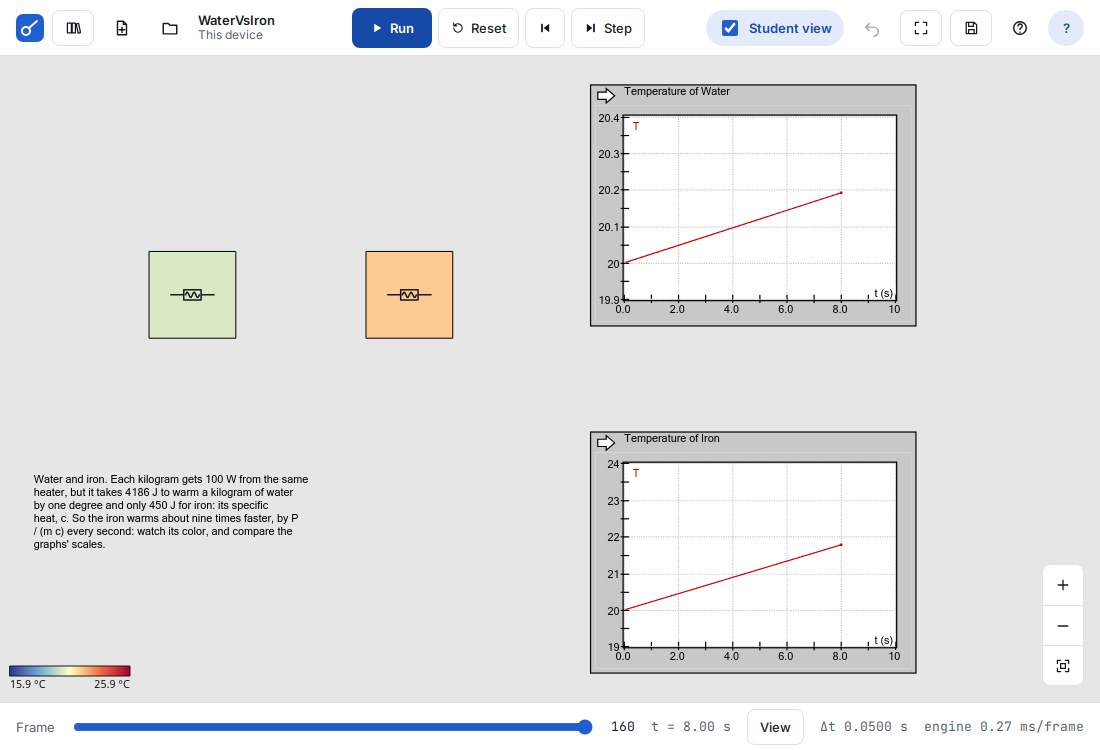
Water and iron: the same heater, different specific heats.
Ready-made experiments
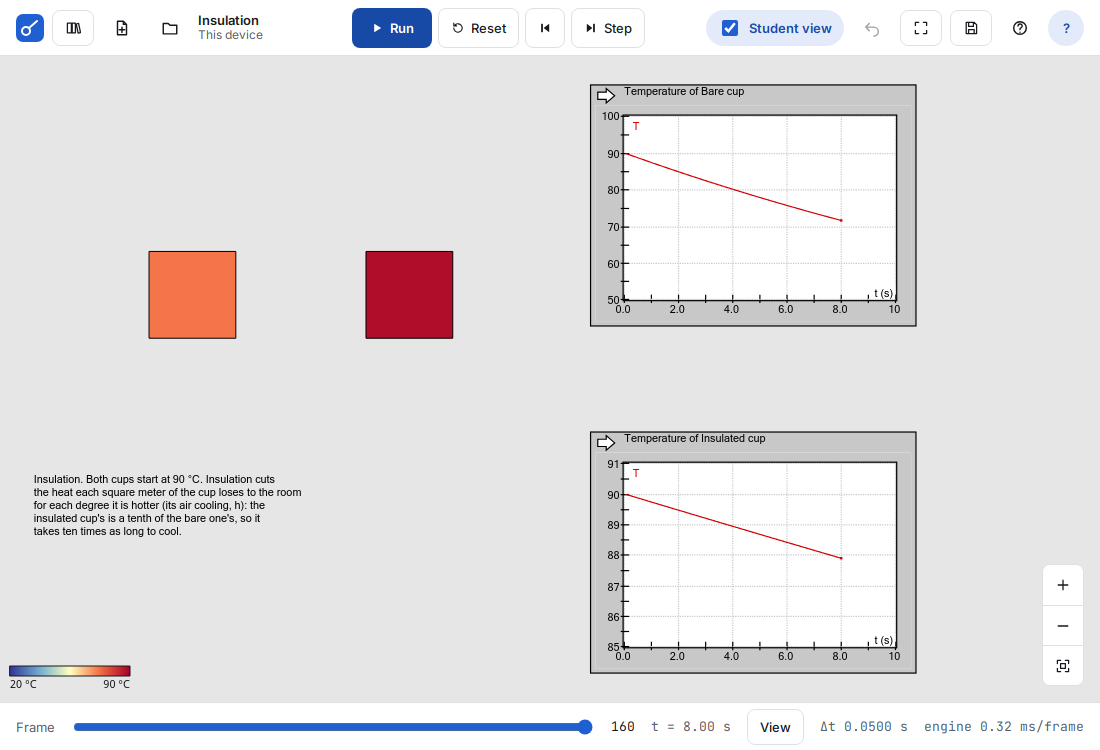
Insulation: a bare and an insulated cup cooling side by side.
A new Heat Flow topic in the Physics Experiments has 6 ready-made experiments to start from.
Cooling Coffee
Newton's law of cooling: the coffee's temperature falls quickly at first, then more and more slowly toward the room's
Two Blocks Reach the Same Temperature
Heat flows through a thermal link from a hot block to a cold one until both are at the same temperature
Insulation
Two cups of coffee, one bare and one insulated: the insulated one takes ten times as long to cool
Thermostat
A heater with a thermostat warms a tank to its set point and holds it there; change the heater's power with a slider
Friction Heats a Sliding Block
A block slides to a stop on a rough floor: the heat it gains equals the kinetic energy it loses
Water and Iron
The same heater on a kilogram of water and a kilogram of iron: iron's lower specific heat makes it warm nine times faster
See the Heat Flow experiments »
Where to find it
In Interactive Physics for Windows, the ribbon’s Model tab has a Heat group, beside Circuit and Magnetism, with Thermal Link, Heater, Heat Flow, and Temperature and Thermal Energy meters for the selected body. Heat Flow is also in the ribbon’s Fields group, and a body’s specific heat, start temperature and air cooling are in its Properties.
Try Interactive Physics with your class
Free evaluations are available for teachers and schools.
- Home
- Capabilities
- Mechanics
- Circuits
- Magnetism
- Heat Flow
- Experiments
- Curriculum
- Purchase
- Questions before Purchase
- Find a Reseller
- Reviews
- Product Videos
- Support Videos
 Quote
 Evaluation


